Farcaster Integration
Reward your community for engaging with your brand on Farcaster. Track mentions, replies, likes, recasts, and follows with LTZ tokens automatically.
Overview
Loyalteez offers two complementary Farcaster integrations:
| Integration | Type | Purpose |
|---|---|---|
| Farcaster Loyalty Bot | White-label template | Reference implementation for developers to customize and deploy |
| Farcaster Mini App | Core product | Loyalteez's production mini app running on Warpcast |
White-Label Bots (farcaster-bot, telegram-bot, twitter-bot):
- Reference implementations you can clone, customize, and deploy
- Designed to be taken down and modified for your specific use case
- Open source repositories on GitHub
- Use these as starting points for your own implementations
Core Products (farcaster-mini-app, etc.):
- Loyalteez's production applications we maintain and operate
- These are our live services, not templates
- If you want to use these features, integrate with our APIs rather than cloning
Farcaster Loyalty Bot
The Farcaster Loyalty Bot is a white-label reference implementation - a Cloudflare Worker template that developers can clone, customize, and deploy for their own brands. It polls the Neynar API for brand engagements and triggers rewards through the Loyalteez platform.
This bot is a template/starter kit. Clone it, modify it, brand it, and deploy it as your own. Perfect for:
- Learning how Farcaster loyalty bots work
- Building custom engagement tracking
- White-label deployments for your clients
- Custom reward logic beyond the standard implementation
| Feature | Description |
|---|---|
| Serverless | Runs on Cloudflare Workers (free tier usually sufficient) |
| Automatic | Polls every 15 minutes via cron trigger |
| Smart Deduplication | High water mark + KV storage prevents duplicate rewards |
| Partner Portal Integration | Farcaster handle/FID configured in Partner Portal |
| Multi-tenant | Single router handles all brands via fc-{brand}.loyalteez.app |
Supported Event Types
| Event Type | Description | Example |
|---|---|---|
farcaster_mention | User mentions @YourBrand in a cast | "@CoffeeBrand great latte!" |
farcaster_reply | User replies to your cast | Reply to brand's cast |
farcaster_like | User likes your cast | ❤️ on brand cast |
farcaster_recast | User recasts your content | 🔁 brand's cast |
farcaster_follow | User follows your account | Follows @CoffeeBrand |
All event types are supported with the Neynar API. No elevated access required (unlike Twitter).
Quick Start: Farcaster Bot
Prerequisites
- Cloudflare Account
- Neynar Account (Farcaster data API)
- Loyalteez Brand ID (from Partner Portal)
- Your Farcaster FID (Farcaster ID number)
1. Clone the Repository
git clone https://github.com/Alpha4-Labs/farcaster-bot.git
cd farcaster-bot
npm install
The repository is farcaster-bot (not farcaster-loyalty-bot) - this is a white-label template you can customize.
2. Get Neynar API Key
- Go to Neynar Dashboard
- Create a new App
- Copy your API Key
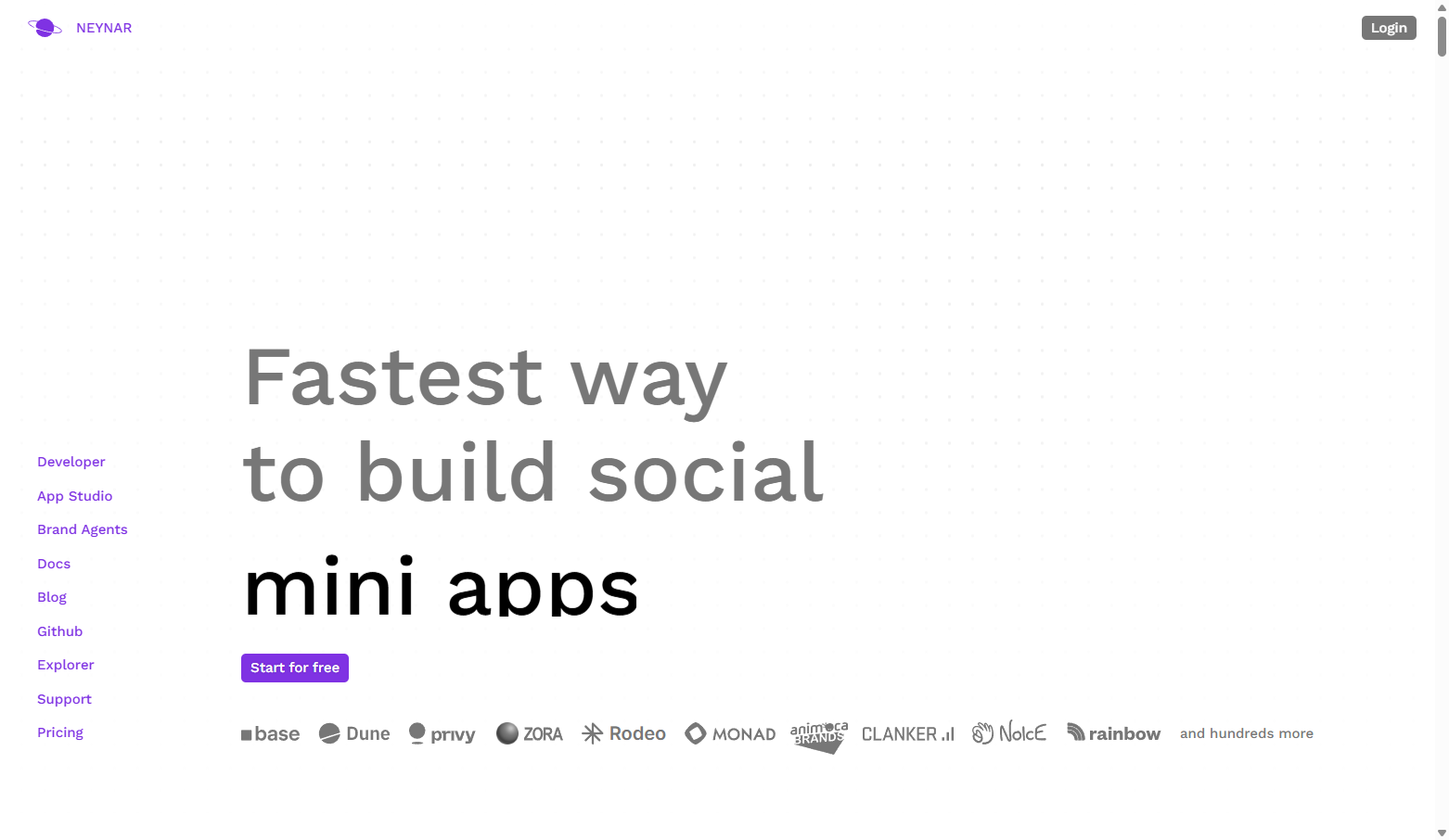 Neynar dashboard for Farcaster API access
Store your API Key securely. Never commit it to git!
3. Create KV Namespace
npx wrangler kv:namespace create FARCASTER_BOT_KV
Copy the id from the output.
4. Configure
cp wrangler.example.toml wrangler.toml
Edit wrangler.toml:
[[kv_namespaces]]
binding = "FARCASTER_BOT_KV"
id = "your_kv_id_here"

[vars]
BRAND_ID = "0xYourWalletAddress"
LOYALTEEZ_API_URL = "https://api.loyalteez.app"
SUPABASE_URL = "https://xcyhefjogmgttegqhhyi.supabase.co"
The Farcaster handle and FID are configured in Partner Portal and read from Supabase at runtime.
5. Set Secrets
# Neynar API Key from step 2
npx wrangler secret put NEYNAR_API_KEY

# Supabase key (get from Loyalteez team)
npx wrangler secret put SUPABASE_PUBLISH_KEY
6. Configure Farcaster in Partner Portal
- Go to Partner Portal → Integrations → Channels → Farcaster
- Enter your brand's Farcaster username (without @)
- Enter your Farcaster FID (e.g.,
12345) - Click Save
The FID is required for the notifications API. Find your FID at Warpcast in your profile settings.
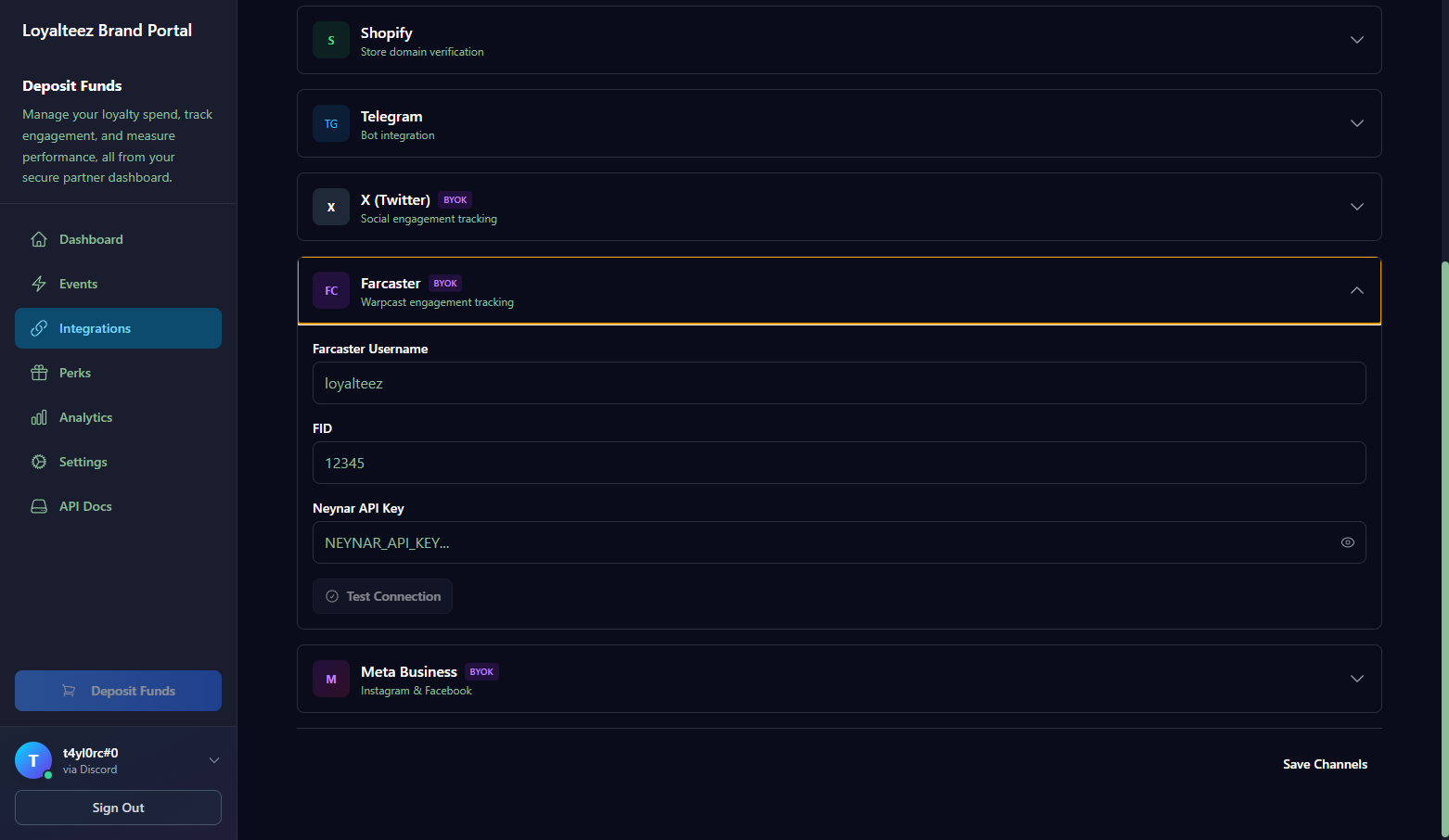 Farcaster configuration in Partner Portal
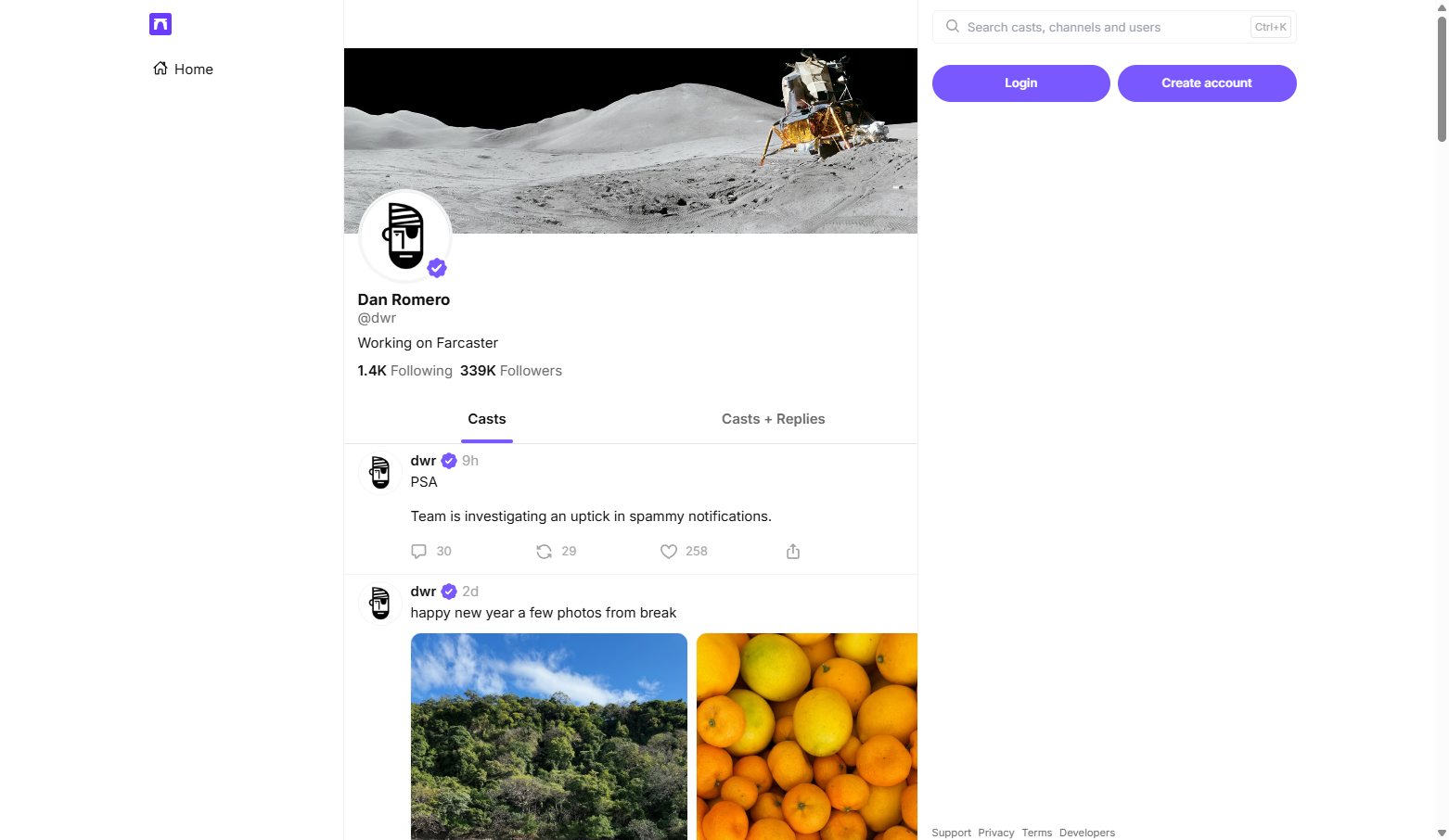 Finding your FID on Warpcast
7. Deploy
npm run deploy
8. Configure Events in Partner Portal
- Go to Partner Portal → Automation
- Click Add Event
- Select a Farcaster event type:
- Farcaster Mention
- Farcaster Reply
- Farcaster Like
- Farcaster Recast
- Farcaster Follow
- Configure:
- Reward Amount: e.g., 50 LTZ
- Cooldown: e.g., 1 hour
- Max Claims: e.g., 10 per user
- Save Configuration
How It Works
┌─────────────────┐     ┌──────────────────┐     ┌─────────────────┐
│  Neynar API     │────▶│  Cloudflare      │────▶│  Loyalteez      │
│  Notifications  │     │  Worker (Cron)   │     │  Event Handler  │
└─────────────────┘     └──────────────────┘     └─────────────────┘
        │                       │                        │
        │                       ▼                        │
        │               ┌──────────────────┐             │
        │               │  KV Store        │             │
        │               │  (Deduplication) │             │
        │               └──────────────────┘             │
        │                       │                        │
        │                       ▼                        │
        │               ┌──────────────────┐             │
        └──────────────▶│  Supabase        │◀────────────┘
                        │  (Config)        │
                        └──────────────────┘
- Cron Trigger: Worker runs every 15 minutes
- Load Config: Fetches Farcaster FID from Supabase (Partner Portal)
- High Water Mark: Only fetches notifications newer than last processed
- Poll Notifications: Queries Neynar for mentions, replies, likes, recasts, follows
- Check KV: Skip already-processed events (deduplication)
- Send Event: Calls Loyalteez Event Handler
- Store: Updates high water mark and records event ID
First Run Behavior
On first deployment (no high water mark), the bot will:
- Process only the 3 most recent notifications per type
- Set a high water mark for future polls
- Subsequent polls only fetch events newer than the high water mark
API Endpoints
The worker exposes several HTTP endpoints for management and testing:
| Endpoint | Method | Description |
|---|---|---|
/ | GET | Service info and available endpoints |
/health | GET | Health check with config status |
/config | GET | Debug endpoint showing configuration |
/trigger | POST | Manually trigger all polls |
/trigger/mentions | POST | Poll mentions only |
/trigger/replies | POST | Poll replies only |
/trigger/likes | POST | Poll likes only |
/trigger/recasts | POST | Poll recasts only |
/trigger/follows | POST | Poll follows only |
/reset | POST | Reset all high water marks |
Example: Manual Trigger
curl -X POST https://fc-yourbrand.loyalteez.app/trigger
Example: Health Check
curl https://fc-yourbrand.loyalteez.app/health
Response:
{
  "status": "ok",
  "service": "farcaster-loyalty-bot",
  "brand": "yourbrand",
  "farcaster_username": "yourbrand",
  "farcaster_fid": 12345,
  "supported_events": ["farcaster_mention", "farcaster_reply", "farcaster_like", "farcaster_recast", "farcaster_follow"],
  "timestamp": "2024-12-04T..."
}
User Identification
Farcaster users are mapped to Loyalteez wallets using a synthetic email format:
Example: [email protected]
- Deterministic: Same Farcaster user always gets the same wallet
- Cross-Platform: Can be linked with Twitter, Discord, etc.
- Mini App: Users can view rewards in the Farcaster Mini App
Farcaster Mini App
The Farcaster Mini App provides a native experience inside Warpcast for users to:
- View earning opportunities across brands
- Check in daily for streak rewards
- Claim perks with their LTZ tokens
- See their reward history
- View leaderboards and achievements
- Track personal statistics
Mini App Pages
| Page | Description | Features |
|---|---|---|
| HomePage | Main dashboard | Balance, quick actions, recent activity |
| DailyPage | Daily check-in | Streak display, check-in button, milestone claims |
| LeaderboardPage | Rankings | Multi-metric leaderboards, period filters |
| AchievementsPage | Achievement progress | Unlocked achievements, progress tracking |
| ProfilePage | User statistics | Personal stats, history, settings |
| EarnPage | Earning opportunities | Available brands, earning methods |
| SpendPage | Perk marketplace | Browse and claim perks |
| PartnersPage | Partner brands | Discover new brands |
| CollectionPage | NFT collection | View collected NFTs |
| MyNFTsPage | User NFTs | Personal NFT collection |
Technical Stack
| Technology | Purpose |
|---|---|
| React + Vite | Frontend framework |
| @farcaster/miniapp-sdk | Farcaster integration |
| Privy | Authentication (SIWF) |
| Soneium Minato | Blockchain (testnet) |
| Supabase | Data layer |
Authentication Flow
The Mini App uses Privy's useLoginToMiniApp hook for proper Farcaster authentication:
import { usePrivy } from '@privy-io/react-auth';
import { useLoginToMiniApp } from '@privy-io/react-auth/farcaster';
import farcasterSdk from '@farcaster/miniapp-sdk';

const { ready, authenticated } = usePrivy();
const { initLoginToMiniApp, loginToMiniApp } = useLoginToMiniApp();

// Auto-login when in Farcaster context
useEffect(() => {
  if (ready && !authenticated) {
    const login = async () => {
      // Step 1: Get nonce from Privy
      const { nonce } = await initLoginToMiniApp();

      // Step 2: Get SIWF signature from Farcaster
      const result = await farcasterSdk.actions.signIn({ nonce });

      // Step 3: Complete authentication
      await loginToMiniApp({
        message: result.message,
        signature: result.signature,
      });
    };
    login();
  }
}, [ready, authenticated]);
Automatic embedded wallet creation is not supported for Farcaster Mini Apps. Create wallets manually after authentication using useCreateWallet.
Privy Dashboard Configuration
For the Mini App to work properly:
- Enable Farcaster as a social login method
- Add
https://farcaster.xyzto your allowed domains (required for iframe-in-iframe) - Configure
'farcaster'in yourloginMethodsarray
Reference: Privy Farcaster Mini App Docs
Daily Check-in Flow
The Daily Page (DailyPage.tsx) provides streak tracking:
- User opens Mini App in Warpcast
- Navigates to Daily tab
- Views current streak and multiplier
- Clicks "Check In Today" button
- Streak recorded via shared services API
- Reward issued with streak multiplier
- Milestone notifications shown if applicable
Implementation:
// In DailyPage.tsx
const handleCheckIn = async () => {
  const fid = user?.farcaster?.fid;
  const userIdentifier = `farcaster_${fid}@loyalteez.app`;

  const result = await fetch(`${SHARED_SERVICES_URL}/streak/record-activity`, {
    method: 'POST',
    body: JSON.stringify({
      brandId: BRAND_ID,
      userIdentifier,
      platform: 'farcaster',
      streakType: 'daily'
    })
  }).then(r => r.json());

  if (result.success) {
    // Update UI, show confetti, etc.
    setStreakData(result);
  }
};
Leaderboard Functionality
The Leaderboard Page (LeaderboardPage.tsx) shows rankings:
- Metrics: LTZ earned, activity, streak, claims
- Periods: This week, this month, all time
- Platform Filter: Farcaster-only or cross-platform
- Real-time Updates: Fetches from shared services API
Implementation:
// In LeaderboardPage.tsx
const fetchLeaderboard = async (metric: string, period: string) => {
  const response = await fetch(
    `${SHARED_SERVICES_URL}/leaderboard/${brandId}?metric=${metric}&period=${period}&platform=farcaster&limit=20`
  );
  const result = await response.json();
  if (result.success) {
    setLeaderboard(result.leaderboard);
  }
};
Achievements System
The Achievements Page (AchievementsPage.tsx) tracks progress:
- Achievement Types: Message count, streak days, LTZ earned, etc.
- Progress Display: Visual progress bars
- Unlock Notifications: Celebrate when achievements unlock
- Reward Claims: Claim achievement bonuses
Implementation:
// In AchievementsPage.tsx
const fetchAchievements = async () => {
  const response = await fetch(
    `${SHARED_SERVICES_URL}/achievements/${brandId}/${encodeURIComponent(userIdentifier)}`
  );
  const result = await response.json();
  if (result.success) {
    setAchievements(result.achievements);
  }
};
Shared Services Integration
The Mini App uses Loyalteez Shared Services:
- Streak Service:
/streak/record-activity,/streak/status,/streak/claim-milestone - Leaderboard Service:
/leaderboard/:brandId - Achievement Service:
/achievements/:brandId/:userIdentifier,/achievements/update-progress - Perks Service:
/perks/:brandId,/perks/redeem
Service Files:
src/services/streak-service.ts- Integrates with shared servicessrc/services/leaderboard-service.ts- Calls shared leaderboard APIsrc/services/achievement-service.ts- Calls shared achievement API
See Shared Services Overview for details.
Bot Streak Integration
The Farcaster bot also integrates with shared services for passive streak tracking:
// In farcaster-loyalty-bot/src/index.js
const userIdentifier = `farcaster_${authorFid}@loyalteez.app`;
const streakResult = await fetch(`${env.SHARED_SERVICES_URL}/streak/record-activity`, {
  method: 'POST',
  body: JSON.stringify({
    brandId: env.BRAND_ID,
    userIdentifier,
    platform: 'farcaster',
    streakType: 'engagement'
  })
}).then(r => r.json());

// Include multiplier in reward
await sendRewardEvent(env, authorFid, eventType, referenceId, {
  ...cast,
  streakMultiplier: streakResult.multiplier,
  currentStreak: streakResult.currentStreak
});
Benefits:
- Users build streaks across all engagement types (mentions, replies, likes, recasts)
- Streak multipliers apply to all Farcaster rewards
- Cross-platform streak tracking (same user on Discord/Telegram/Farcaster)
Deployment Architecture
Loyalteez provides two Farcaster workers:
| Worker | URL | Purpose |
|---|---|---|
| Single-Brand Bot | https://farcaster-bot.loyalteez.app | Loyalteez's own engagement tracking |
| Multi-Tenant Router | https://fc.loyalteez.app | Shared infrastructure for all brands |
Multi-Tenant Router
The shared router at fc.loyalteez.app handles Farcaster tracking for all configured brands. When you configure your Farcaster credentials in Partner Portal, your brand is automatically registered.
API Endpoints:
# Root (shows available endpoints)
GET https://fc.loyalteez.app/

# Health check for a brand
GET https://fc.loyalteez.app/health?brand_id=0x...

# View brand configuration
GET https://fc.loyalteez.app/config?brand_id=0x...

# Manual trigger - poll all engagement types
POST https://fc.loyalteez.app/trigger?brand_id=0x...

# Poll specific engagement type
POST https://fc.loyalteez.app/trigger/mentions?brand_id=0x...
POST https://fc.loyalteez.app/trigger/replies?brand_id=0x...
POST https://fc.loyalteez.app/trigger/likes?brand_id=0x...
POST https://fc.loyalteez.app/trigger/recasts?brand_id=0x...
POST https://fc.loyalteez.app/trigger/follows?brand_id=0x...

# Reset high water marks (start fresh)
POST https://fc.loyalteez.app/reset?brand_id=0x...
The router automatically:
- Loads brand config from Supabase (via Partner Portal) or KV cache
- Polls Neynar with your brand's FID using shared or brand-specific API key
- Processes mentions, replies, likes, recasts, and follows
- Routes rewards through the Event Handler
- Caches configurations for faster subsequent requests
Partner Portal Configuration
Adding Your Farcaster Account
- Go to Partner Portal → Integrations → Channels → Farcaster
- Enter:
- Username: Your Farcaster username (without @)
- FID: Your Farcaster ID number
- Click Save
Creating Farcaster Events
- Go to Automation (top-level navigation)
- Click Add Event
- Select a Farcaster event type:
- Farcaster Mention - When someone mentions your handle
- Farcaster Reply - When someone replies to your cast
- Farcaster Like - When someone likes your cast
- Farcaster Recast - When someone recasts you
- Farcaster Follow - When someone follows you
- Configure reward parameters
- Save
Neynar API
The bot uses Neynar for Farcaster data:
Rate Limits
| Plan | Requests/min | Cost |
|---|---|---|
| Free | 100 | $0 |
| Growth | 1,000 | $49/mo |
| Scale | 10,000 | $299/mo |
The Free tier is usually sufficient for most brands. Each poll uses 5 requests (one per event type).
API Reference
| Endpoint | Purpose |
|---|---|
/v2/farcaster/notifications | Get brand's notifications |
/v2/farcaster/user/by_username | Look up FID by username |
Reference: Neynar API Docs
Troubleshooting
"Neynar API key not configured"
npx wrangler secret put NEYNAR_API_KEY
"Farcaster FID not configured"
- Go to Partner Portal → Integrations → Channels → Farcaster
- Enter your FID (find it at warpcast.com in profile settings)
- Save
"No config found for brand"
- Verify
BRAND_IDin wrangler.toml matches your Partner Portal wallet - Ensure
SUPABASE_PUBLISH_KEYsecret is set correctly
No rewards appearing
- Verify
BRAND_IDmatches your Partner Portal wallet - Confirm Farcaster events exist in Partner Portal
- Check worker logs:
npx wrangler tail - Verify FID is set in Partner Portal
View Real-Time Logs
npx wrangler tail
Example Use Cases
1. Community Engagement
Reward users for engaging with your brand:
Event: farcaster_mention
Reward: 50 LTZ
Cooldown: 24 hours
Max Claims: 10 per user
2. New Follower Campaign
Incentivize follows:
Event: farcaster_follow
Reward: 100 LTZ
Cooldown: None (one-time)
Max Claims: 1 per user
3. Viral Content
Reward recasts to spread your message:
Event: farcaster_recast
Reward: 25 LTZ
Cooldown: 1 hour
Max Claims: 5 per day
4. Discussion Starter
Reward quality replies:
Event: farcaster_reply
Reward: 30 LTZ
Cooldown: 4 hours
Max Claims: 5 per day
Environment Variables Reference
| Variable | Description | Where to Set |
|---|---|---|
BRAND_ID | Your Loyalteez wallet address | wrangler.toml |
LOYALTEEZ_API_URL | API endpoint | wrangler.toml |
SUPABASE_URL | Supabase instance URL | wrangler.toml |
NEYNAR_API_KEY | Neynar API Key | Secret |
SUPABASE_PUBLISH_KEY | Supabase public key | Secret |
Farcaster username and FID are NOT environment variables. They're configured in Partner Portal and read from Supabase at runtime.
Comparison: Farcaster vs Twitter Bot
| Feature | Farcaster Bot | Twitter Bot |
|---|---|---|
| API Provider | Neynar | Twitter API |
| Rate Limits | 100 req/min (free) | 10 req/15min (basic) |
| Event Types | 5 | 4 |
| API Cost | Free tier available | $100/mo for basic |
| Elevated Access | Not required | Required for likes/retweets |
| User ID Format | farcaster_{fid}@... | twitter_{id}@... |
Security Best Practices
- Never commit secrets - Use
npx wrangler secret put - Use
.gitignore- Excludeswrangler.toml,.env,node_modules - Rotate API keys - Regenerate Neynar key if compromised
- Validate FIDs - Ensure events come from real Farcaster users
Resources
- GitHub Repository (Bot Template): Alpha4-Labs/farcaster-bot - White-label reference implementation
- GitHub Repository (Mini App): Alpha4-Labs/farcaster-mini-app - Core product
- Neynar API Docs: docs.neynar.com
- Farcaster Mini App SDK: @farcaster/miniapp-sdk
- Privy Farcaster Docs: docs.privy.io/recipes/farcaster/mini-apps
- Event Handler API: Event Handler Reference
- Shared Services: Shared Services Overview
- Cloudflare Workers: developers.cloudflare.com/workers
Support
- GitHub Issues: Report bugs or request features
- Discord: Join our developer community
- Email: [email protected]
Your Farcaster community now earns real rewards! 🟣