Shopify App Integration
What is this? A production-ready Shopify app that rewards your customers with LTZ tokens for purchases and actions in your store.
Use this if you're: Running an online store on Shopify and want to reward customer loyalty.
You'll need:
- A Shopify store (any plan works)
- A Loyalteez Partner Account
- 15 minutes
🚀 Quick Start (Recommended)
We've built a production-ready template that handles:
- ✅ Secure Webhook Verification (HMAC-SHA256)
- ✅ Automatic Rewards for Purchases & Signups
- ✅ Cloudflare Workers or Node.js/Express Support
- ✅ Simple Configuration
📦 View the Repository
Clone the repository and follow the SETUP.md guide to get running in minutes.
git clone https://github.com/Alpha4-Labs/shopify-loyalty-app.git
cd shopify-loyalty-app
npm install
npm run dev
How It Works
Plain English Explanation:
- Customer does something (makes a purchase, creates account, etc.)
- Shopify tells your app "Hey, something happened!" (via webhooks)
- Your app tells Loyalteez "Give this customer a reward!"
- Customer gets LTZ tokens automatically

Step-by-Step Setup
Step 1: Deploy the App
You can run this on any server (Railway, Heroku, DigitalOcean) or as a Cloudflare Worker (Free & Fast).
Option A: Cloudflare Workers (Recommended)
- Clone the repo:
git clone https://github.com/Alpha4-Labs/shopify-loyalty-app.git - Install dependencies:
npm install - Set your secrets:
npx wrangler secret put SHOPIFY_WEBHOOK_SECRET
npx wrangler secret put LOYALTEEZ_BRAND_ID - Deploy:
npm run deploy
Option B: Node.js Server
- Set environment variables in
.env:SHOPIFY_WEBHOOK_SECRET=your_secret
LOYALTEEZ_BRAND_ID=0x... - Run the server:
npm start
Step 2: Configure Shopify Webhooks
- Go to your Shopify admin (yourstore.myshopify.com/admin)
- Navigate to: Settings → Notifications → Webhooks
- Create webhook for "Order creation":
- Event:
Order creation - Format:
JSON - URL:
https://your-app-url.com/webhooks/shopify - Click "Save"
- Event:
- Create webhook for "Customer creation":
- Event:
Customer creation - Format:
JSON - URL:
https://your-app-url.com/webhooks/shopify - Click "Save"
- Event:
- Copy the webhook secret and add it to your app configuration.
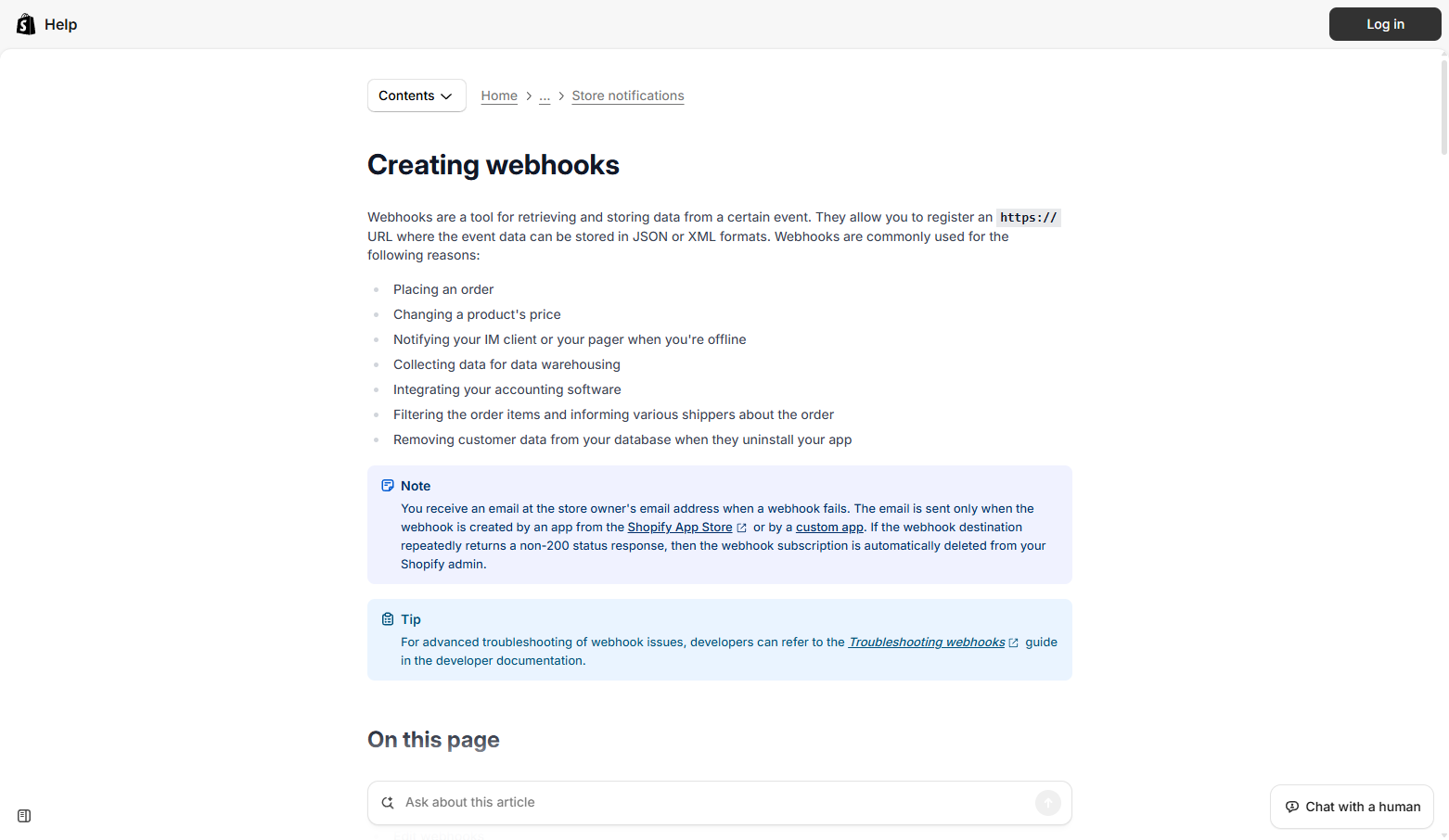 Shopify Help Center guide for creating webhooks
Step 3: Test Your Integration
We've included a Simulation UI in the app.
- Visit your deployed app URL (e.g.,
https://shopify-demo.loyalteez.app). - Use the Simulate Purchase form to trigger a fake order.
- Check your Loyalteez dashboard to see the reward appear!
Code Example
Here is the core logic used in the app to process orders:
/**
 * Handle order creation webhook
 */
async function handleOrderCreated(order, brandId, apiUrl) {
  const email = order.customer?.email;
  const orderTotal = parseFloat(order.total_price || 0);

  if (!email) return;

  // Calculate Reward: 10 LTZ per $1 spent
  const ltzAmount = Math.floor(orderTotal * 10);

  // Bonus for large orders ($100+)
  const bonus = orderTotal >= 100 ? 1000 : 0;

  // Send to Loyalteez
  await fetch(`${apiUrl}/loyalteez-api/manual-event`, {
    method: 'POST',
    headers: { 'Content-Type': 'application/json' },
    body: JSON.stringify({
      brandId,
      eventType: 'place_order', // Matches your automation rule
      userEmail: email,
      metadata: {
        order_id: order.id,
        order_total: orderTotal,
        ltz_earned: ltzAmount + bonus
      }
    })
  });

  console.log(`✅ Rewarded ${email}: ${ltzAmount + bonus} LTZ`);
}
Reward Strategies
Strategy 1: Purchase Rewards (10 LTZ per $1)
Why: Rewards every purchase, encourages repeat business. How: Default behavior in the template.
Strategy 2: Tiered Bonuses
Why: Encourages larger orders (AOV). How:
const bonus = orderTotal >= 100 ? 1000 : 0; // 1000 LTZ bonus for orders > $100
Strategy 3: First Purchase Bonus
Why: Rewards new customers, encourages conversion. How:
if (order.order_number === 1) {
    // Send extra 'first_purchase' event
}
Interactive Widget
The Loyalteez Interactive Widget provides customers with a full loyalty experience directly in your storefront.
Features
- Balance Display: View current LTZ balance
- Streak Tracking: Daily check-in with streak multipliers
- Perks Browsing: Browse and redeem perks
- Daily Check-in: Customers can check in daily to maintain streaks
Installation
Option 1: Theme App Extension (Recommended)
-
Create Theme App Extension:
shopify app generate extension
# Select: Theme app extension -
Add Widget Component:
- Copy
src/widget/LoyalteezWidget.tsxto your extension - Add to theme template where desired
- Copy
-
Configure:
{% render 'loyalteez-widget',
   brand_id: '0x...',
   customer_email: customer.email
%}
Option 2: Embed Script
Add to your theme's theme.liquid or specific pages:
<div id="loyalteez-widget"
     data-brand-id="0xYourBrandAddress"
     data-customer-email="{{ customer.email }}">
</div>
<script src="https://widgets.loyalteez.app/shopify/embed.js"></script>
Widget Tabs
Balance Tab:
- Shows current LTZ balance
- Displays earning opportunities
Streak Tab:
- Current streak count
- Multiplier display
- Daily check-in button
- Next milestone progress
Perks Tab:
- Available perks list
- Cost and availability
- Quick redemption buttons
Daily Check-in
Customers can check in daily to maintain streaks:
- Customer visits store (or widget page)
- Clicks "Check In Today" in Streak tab
- Streak recorded via shared services API
- Multiplier applied to next purchase reward
Implementation:
const handleDailyVisit = async () => {
  const result = await fetch('/api/streak/record-activity', {
    method: 'POST',
    body: JSON.stringify({
      brandId,
      userEmail: customerEmail,
      platform: 'shopify'
    })
  }).then(r => r.json());

  // Update streak display
  setStreak(result);
};
Streak System
Streaks apply multipliers to purchase rewards:
- 3+ days: 1.25x multiplier
- 7+ days: 1.5x multiplier
- 14+ days: 1.75x multiplier
- 30+ days: 2.0x multiplier
Enhanced Webhook Handler:
async function handleOrderCreated(order, brandId, env) {
  const email = order.customer?.email;
  if (!email) return;

  // Get user's streak for multiplier
  const streakData = await fetch(
    `${env.SHARED_SERVICES_URL}/streak/status/${brandId}/${encodeURIComponent(email)}`
  ).then(r => r.json());

  const baseReward = Math.floor(parseFloat(order.total_price) * 10);
  const multipliedReward = Math.floor(baseReward * streakData.multiplier);

  await fetch(`${env.LOYALTEEZ_API_URL}/loyalteez-api/manual-event`, {
    method: 'POST',
    body: JSON.stringify({
      brandId,
      eventType: 'place_order',
      userEmail: email,
      metadata: {
        platform: 'shopify',
        order_id: order.id,
        order_total: order.total_price,
        base_reward: baseReward,
        streak_multiplier: streakData.multiplier,
        total_reward: multipliedReward
      }
    })
  });
}
Perk Redemption
Customers can redeem perks directly from the widget:
- Browse perks in Perks tab
- Click "Redeem" on desired perk
- LTZ deducted from balance
- Discount code generated (for discount perks)
- Code displayed to customer
Redemption Flow:
const handleRedeem = async (perkId: string) => {
  if (balance < perk.cost) {
    alert('Insufficient balance');
    return;
  }

  const response = await fetch(`${SHARED_SERVICES_URL}/perks/redeem`, {
    method: 'POST',
    body: JSON.stringify({
      brandId,
      userEmail: customerEmail,
      platform: 'shopify',
      perkId
    })
  });

  const result = await response.json();
  if (result.success) {
    // Show discount code or confirmation
    showConfirmation(result.confirmationCode);
    // Refresh balance
    loadData();
  }
};
Widget Customization
Customize widget appearance via CSS:
.loyalteez-widget {
  border: 1px solid #e0e0e0;
  border-radius: 8px;
  padding: 20px;
  background: white;
}

.widget-header h3 {
  color: #8CBC99;
  margin: 0 0 15px 0;
}

.widget-tabs button.active {
  background: #8CBC99;
  color: white;
}
Shared Services Integration
The widget uses Loyalteez Shared Services:
- Streak Service:
/streak/record-activity,/streak/status - Perks Service:
/perks/:brandId,/perks/redeem - Balance Service: Calls Loyalteez API for balance
See Shared Services Overview for details.
Show Rewards to Customers
Add Banner to Thank You Page
After checkout, show customers how much LTZ they earned.
- Go to: Shopify Admin → Settings → Checkout
- Scroll to: Additional Scripts
- Add this code:
<script>
  // Get order info
  const orderTotal = {{ checkout.total_price | money_without_currency }};
  const ltzEarned = Math.floor(orderTotal * 10);

  document.addEventListener('DOMContentLoaded', function() {
    const banner = document.createElement('div');
    banner.style.cssText = 'background: #8CBC99; color: white; padding: 20px; margin: 20px 0; border-radius: 8px; text-align: center;';
    banner.innerHTML = `
      <h2 style="margin: 0 0 10px 0;">🎉 You Earned ${ltzEarned} LTZ!</h2>
      <p style="margin: 0;">Your rewards have been added to your wallet.</p>
      <a href="https://marketplace.loyalteez.app" style="color: white; text-decoration: underline;">View Your Wallet →</a>
    `;

    const container = document.querySelector('.main-content') || document.body;
    container.prepend(banner);
  });
</script>
Troubleshooting
"Webhooks aren't being received"
Check:
- Is your server running and accessible?
- Did you configure webhooks in Shopify admin?
- Is the URL correct in Shopify settings?
"Events track but no LTZ given"
Check:
- Is your Brand ID correct?
- Are reward rules configured in Partner Portal?
- Check Partner Portal analytics for the event.
"Getting 401 Unauthorized errors"
Check:
- Ensure your
SHOPIFY_WEBHOOK_SECRETmatches the one in your Shopify Admin.
Support
- Official Template: github.com/Alpha4-Labs/shopify-loyalty-app
- Shopify Webhooks: shopify.dev/docs/admin-api/webhooks
- Loyalteez API: Event Handler API
- Shared Services: Shared Services Overview
- Need help? [email protected]