Twitter/X Integration
Reward your community for engaging with your brand on Twitter/X. Track mentions, and reward users with LTZ tokens automatically.
Overview
The Twitter Loyalty Bot is a Cloudflare Worker that polls the Twitter API for brand mentions and triggers rewards through the Loyalteez platform.
| Feature | Description |
|---|---|
| Serverless | Runs on Cloudflare Workers (free tier usually sufficient) |
| Automatic | Polls every 15 minutes via cron trigger |
| Smart Deduplication | High water mark + KV storage prevents duplicate rewards |
| Partner Portal Integration | Twitter handle configured in Partner Portal (single source of truth) |
| Configurable | Set reward amounts and limits in Partner Portal |
Supported Event Types
| Event Type | Description | API Tier Required |
|---|---|---|
tweet_mention | User mentions @YourBrand | Basic (Free) |
tweet_reply | User replies to your tweet | Basic (Free) |
tweet_quote | User quote-tweets your content | Basic (Free) |
tweet_hashtag | User uses brand hashtag in campaign | Basic (Free) |
tweet_thread_reply | User replies in brand's thread | Basic (Free) |
twitter_daily_engagement | First engagement of the day (streak) | Basic (Free) |
tweet_like | User likes your tweet | Pro ($100/mo) |
tweet_retweet | User retweets your content | Pro ($100/mo) |
Likes and retweets require Twitter API Pro tier due to endpoint restrictions. Mentions, replies, quotes, and hashtags work with the free Basic tier.
Quote Tweets
Quote tweets are when users share your content with their own commentary. This is tracked automatically when users quote-tweet any of your brand's tweets.
- Event Type:
tweet_quote - Detection: Automatically searches for tweets that quote your brand's tweets using Twitter Search API
- Reward: Configurable in Partner Portal (default: 75 LTZ)
- Streak Integration: Automatically records engagement for streak tracking
- API Requirement: Basic tier (Free) - no elevated access needed
- Frequency: Polled every 15 minutes via cron trigger
How It Works:
The bot searches for tweets matching the pattern: url:twitter.com/{YourBrand}/status -from:{YourBrand}. This finds all tweets that quote your brand's tweets while excluding your own tweets.
Configuration Example:
In Partner Portal → Automation → Events, configure the tweet_quote event:
Event: tweet_quote
Reward: 75 LTZ
Cooldown: 24 hours (prevents spam)
Max Claims: 10 per user
Streak Integration:
Quote tweets automatically record engagement via the shared streak service. Users who quote-tweet daily build streaks, which multiply their rewards (e.g., 7-day streak = 1.5x multiplier).
Hashtag Campaigns
Track and reward users who use your brand hashtags in their tweets. Perfect for running promotional campaigns and brand awareness initiatives.
- Event Type:
tweet_hashtag - Configuration: Set up campaigns in Partner Portal with:
- Hashtag (e.g.,
#LoyalteezLaunch) - Reward amount (e.g., 50 LTZ)
- Start and end dates
- Max claims per user
- Hashtag (e.g.,
- Streak Integration: Rewards include streak multipliers
- API Requirement: Basic tier (Free)
- Frequency: Polled every 15 minutes via cron trigger
How It Works:
- Create Campaign: Set up hashtag campaigns in Partner Portal
- Automatic Detection: Bot searches for tweets containing your hashtag
- Reward Distribution: Users are automatically rewarded when they use the hashtag
- Campaign Period: Only rewards tweets during the campaign's active period
Configuration Example:
In Partner Portal, create a hashtag campaign:
{
  "hashtag": "#LoyalteezLaunch",
  "reward": 100,
  "start_date": "2024-01-01T00:00:00Z",
  "end_date": "2024-01-31T23:59:59Z",
  "max_claims_per_user": 5,
  "exclude_brand_tweets": true
}
Campaign Features:
- Time-Limited: Campaigns automatically activate and deactivate based on start/end dates
- Deduplication: Each tweet is only rewarded once
- User Limits: Set maximum claims per user to prevent abuse
- Streak Integration: Hashtag tweets count toward daily engagement streaks
Use Cases:
- Product launches (e.g.,
#NewProduct2024) - Event promotion (e.g.,
#Conference2024) - Brand awareness (e.g.,
#BrandName) - Contests and giveaways (e.g.,
#WinPrize)
Thread Participation
Reward users who participate in your tweet threads:
- Event Type:
tweet_thread_reply - Detection: Tracks replies to tweets in your conversation threads
- Reward: Configurable in Partner Portal (default: 20 LTZ)
- Streak Integration: Counts toward daily engagement streaks
Streak System
Users who engage daily on Twitter automatically build streaks, which multiply their rewards. The streak system uses the shared streak service API for cross-platform consistency.
How It Works:
- Passive Tracking: All engagement types (mentions, replies, quotes, hashtags, likes) count toward streaks
- Daily Engagement: Users who engage at least once per day (within 36-hour grace period) maintain their streak
- Multipliers: Streak multipliers apply to all Twitter rewards:
- 3-day streak: 1.25x multiplier
- 7-day streak: 1.5x multiplier
- 14-day streak: 1.75x multiplier
- 30-day streak: 2.0x multiplier
- Cross-Platform: Streaks are shared across all platforms (Discord, Telegram, Twitter, Farcaster, etc.)
Example:
User has a 7-day streak:
- Base reward for mention: 50 LTZ
- With 1.5x multiplier: 75 LTZ total
Streak Milestones:
Users can claim milestone bonuses at:
- 7 days: +100 LTZ bonus
- 30 days: +500 LTZ bonus
- 100 days: +2000 LTZ bonus
- 365 days: +10000 LTZ bonus
Shared Services Integration:
The Twitter bot automatically calls the shared streak service API:
// Automatically recorded for all engagement types
await fetch('https://services.loyalteez.app/streak/record-activity', {
  method: 'POST',
  headers: { 'Content-Type': 'application/json' },
  body: JSON.stringify({
    brandId: env.BRAND_ID,
    userIdentifier: `twitter_${userId}@loyalteez.app`,
    platform: 'twitter',
    streakType: 'daily'
  })
});
Configuration:
Streak settings are configured per brand in Partner Portal → Automation → Streak Configuration:
- Grace period (default: 36 hours)
- Multiplier thresholds
- Milestone rewards
Quick Start
Prerequisites
- Cloudflare Account
- Twitter Developer Account
- Loyalteez Brand ID (from Partner Portal)
1. Clone the Repository
git clone https://github.com/Alpha4-Labs/twitter-loyalty-bot.git
cd twitter-loyalty-bot
npm install
This is a reference implementation designed for developers to clone, customize, and deploy. Perfect for learning how Twitter loyalty bots work or building custom engagement tracking.
2. Get Twitter API Credentials
- Go to Twitter Developer Portal
- Create a new Project and App
- Navigate to Keys and Tokens
- Generate a Bearer Token
 X Developer Platform home page
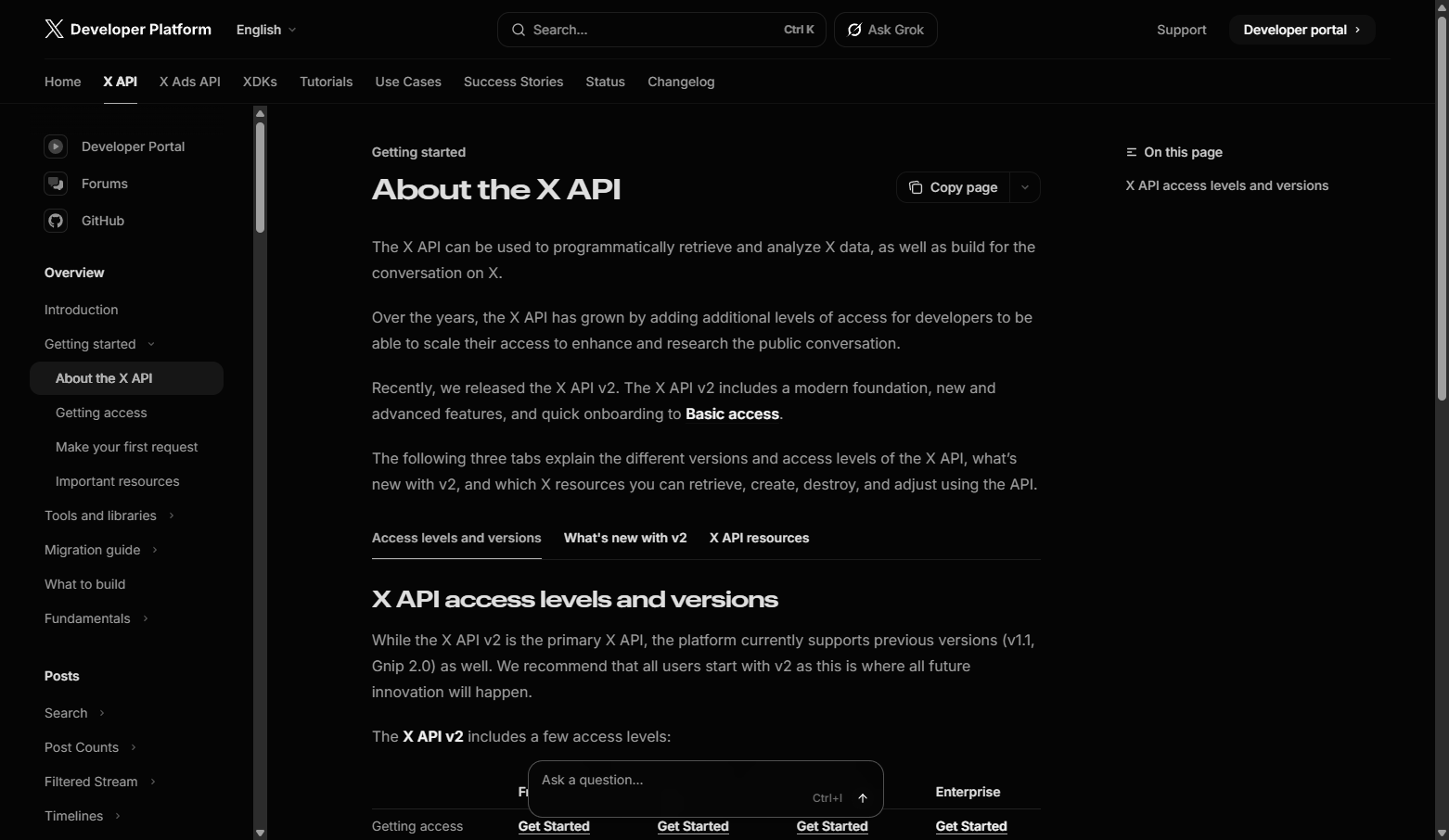 X API access levels and versions
Store your Bearer Token securely. Never commit it to git!
3. Create KV Namespace
npx wrangler kv:namespace create TWITTER_BOT_KV
Copy the id from the output.
4. Configure
cp wrangler.example.toml wrangler.toml
Edit wrangler.toml:
[[kv_namespaces]]
binding = "TWITTER_BOT_KV"
id = "your_kv_id_here"

[vars]
BRAND_ID = "0xYourWalletAddress"
LOYALTEEZ_API_URL = "https://api.loyalteez.app"
SUPABASE_URL = "https://xcyhefjogmgttegqhhyi.supabase.co"
The Twitter handle is NOT configured here. It's configured in Partner Portal and read from Supabase at runtime.
5. Set Secrets
# Twitter Bearer Token from step 2
npx wrangler secret put TWITTER_BEARER_TOKEN

# Supabase key (get from Loyalteez team)
npx wrangler secret put SUPABASE_PUBLISH_KEY
6. Configure Twitter Handle in Partner Portal
- Go to Partner Portal → Integrations → Channels → X (Twitter)
- Enter your brand's Twitter handle (without @)
- Click Save
This is the single source of truth for your Twitter handle. The worker reads this value from Supabase on each poll.
7. Deploy
npm run deploy
8. Configure Events in Partner Portal
- Go to Partner Portal → Automation
- Click Add Event
- Select Tweet Mention (or other Twitter events)
- Configure:
- Reward Amount: e.g., 50 LTZ
- Cooldown: e.g., 1 hour (prevents spam)
- Max Claims: e.g., 10 per user
- Save Configuration
How It Works
┌─────────────────┐     ┌──────────────────┐     ┌─────────────────┐
│  Twitter API    │────▶│  Cloudflare      │────▶│  Loyalteez      │
│  Search API     │     │  Worker (Cron)   │     │  Event Handler  │
└─────────────────┘     └──────────────────┘     └─────────────────┘
        │                       │                        │
        │                       ▼                        │
        │               ┌──────────────────┐             │
        │               │  KV Store        │             │
        │               │  (Deduplication) │             │
        │               └──────────────────┘             │
        │                       │                        │
        │                       ▼                        │
        │               ┌──────────────────┐             │
        └──────────────▶│  Supabase        │◀────────────┘
                        │  (Config)        │
                        └──────────────────┘
- Cron Trigger: Worker runs every 15 minutes
- Load Config: Fetches Twitter handle from Supabase (Partner Portal)
- High Water Mark: Only fetches tweets newer than last processed
- Search Mentions: Queries Twitter for
@YourBrandmentions - Check KV: Skip already-processed tweets (belt-and-suspenders)
- Send Event: Calls Loyalteez Event Handler
- Store: Updates high water mark and records tweet ID
First Run Behavior
On first deployment (no high water mark), the bot will:
- Process only the 3 most recent mentions (to avoid mass-processing old tweets)
- Set a high water mark for future polls
- Subsequent polls only fetch tweets newer than the high water mark
API Endpoints
The worker exposes several HTTP endpoints for management and testing:
| Endpoint | Method | Description |
|---|---|---|
/ | GET | Service info and available endpoints |
/health | GET | Health check with config status |
/config | GET | Debug endpoint showing configuration |
/trigger | POST | Manually trigger a poll (for testing) |
/reset | POST | Reset high water mark (start fresh) |
Example: Manual Trigger
curl -X POST https://your-worker.workers.dev/trigger
Example: Reset High Water Mark
curl -X POST https://your-worker.workers.dev/reset
This resets the "last processed tweet" marker, causing the next poll to be treated as a first run (processes 3 most recent tweets).
Example: Health Check
curl https://your-worker.workers.dev/health
Response:
{
  "status": "ok",
  "service": "twitter-loyalty-bot",
  "brand_id": "0x...",
  "twitter_handle": "YourBrand",
  "timestamp": "2024-11-24T..."
}
User Identification
Twitter users are mapped to Loyalteez wallets using a synthetic email format:
Example: [email protected]
- Deterministic: Same Twitter user always gets the same wallet
- Cross-Platform: Can be linked with other social identities
- Claiming: Users visit the Perk Marketplace and connect their Twitter to claim rewards
Partner Portal Configuration
Adding Your Twitter Handle
- Go to Partner Portal → Settings → Profile
- Expand Authentication Methods → X (Twitter)
- Enter your brand's Twitter handle (without @)
- Click Save Profile
The worker reads this value from Supabase on each poll, so changes take effect immediately.
Creating Twitter Events
- Go to Settings → Points Distribution → Events tab
- Click Add Event
- Select a Twitter event type:
- Tweet Mention - When someone mentions your handle
- Tweet Reply - When someone replies to you
- Tweet Quote - When someone quote-tweets your content
- Tweet Hashtag - When someone uses your campaign hashtag
- Tweet Thread Reply - When someone replies in your thread
- Tweet Like - When someone likes your tweet (Pro tier)
- Tweet Retweet - When someone retweets you (Pro tier)
- Configure reward parameters
- Save
Configuring Hashtag Campaigns
- Go to Settings → Integrations → X (Twitter)
- Scroll to Hashtag Campaigns
- Click Add Campaign
- Configure:
- Hashtag: e.g.,
#LoyalteezLaunch(include the #) - Reward Multiplier: e.g.,
2.0(doubles base reward) - Start Date: Campaign start date
- End Date: Campaign end date
- Max Claims Per User: Limit per user (e.g., 10)
- Hashtag: e.g.,
- Save Campaign
The bot automatically polls for tweets using your hashtags and rewards users with the configured multiplier.
Advanced Configuration
Change Poll Frequency
Edit wrangler.toml:
[triggers]
crons = ["*/5 * * * *"]  # Every 5 minutes (uses more API quota)
More frequent polling consumes Twitter API quota faster. Basic tier allows only 10 requests per 15-minute window.
Custom Domain
[[routes]]
pattern = "x-bot.yourdomain.com/*"
zone_name = "yourdomain.com"
Service Bindings (Internal)
For direct worker-to-worker communication (bypasses public HTTP):
[[services]]
binding = "EVENT_HANDLER"
service = "loyalteez-event-handler"
API Rate Limits
Twitter API Tiers
| Tier | Requests/15min | Monthly Tweets | Cost | Recommended Polling |
|---|---|---|---|---|
| Free | 1 | 100 | $0 | Daily |
| Basic | 10 | 10,000 | $100/mo | Every 15 min |
| Pro | 450 | 1,000,000 | $5,000/mo | Every 5 min |
The free tier is extremely restrictive:
- Only 1 request per 15 minutes
- Only 100 tweets per month
- Use daily polling (
0 12 * * *) to conserve quota - Suitable for demos only - upgrade to Basic for production
Calculation
Each poll uses 1-2 API requests:
- 1 request for user ID lookup (cached for 24 hours in KV)
- 1 request for mention search
Free tier with daily polling:
- 1 poll/day × 1 request = 1 request/day ✅
- 100 tweets/month ÷ ~10 tweets/poll = ~10 polls before cap
- Daily polling sustainable for demos with light engagement
Basic tier with 15-min polling:
- 96 polls/day × 1 request = 96 requests/day ✅
- 10,000 tweets/month = comfortable headroom
User IDs are cached in KV for 24 hours, so repeated polls for the same handle only use 1 search request after the first poll.
Troubleshooting
"Twitter API secrets not configured"
npx wrangler secret put TWITTER_BEARER_TOKEN
"Twitter handle not configured in Partner Portal"
- Go to Partner Portal → Integrations → Channels → X (Twitter)
- Enter your handle (without @)
- Save
- Save
"No config found for brand"
- Verify
BRAND_IDin wrangler.toml matches your Partner Portal wallet - Ensure
SUPABASE_PUBLISH_KEYsecret is set correctly
"Rate limit exceeded" (429 error)
Twitter Basic tier has 10 requests per 15-minute window. If you hit this:
- Wait 15 minutes for the rate limit to reset
- Reduce poll frequency in
wrangler.toml - Consider upgrading to Pro tier for high-engagement brands
No rewards appearing
- Verify
BRAND_IDmatches your Partner Portal wallet - Confirm
tweet_mentionevent exists in Partner Portal - Check worker logs:
npx wrangler tail - Verify Twitter handle is set in Partner Portal
High water mark issues
If old tweets are being processed or new tweets are being skipped:
# Reset the high water mark
curl -X POST https://your-worker.workers.dev/reset
Next poll will be treated as first run (processes 3 most recent tweets).
View Real-Time Logs
npx wrangler tail
Security Best Practices
- Never commit secrets - Use
npx wrangler secret put - Use
.gitignore- Excludeswrangler.toml,.env,node_modules - Use example files -
wrangler.example.tomlfor templates - Rotate tokens - Regenerate Bearer Token if compromised
- Don't commit wrangler.toml - Contains your KV ID and brand-specific config
Example Use Cases
1. Brand Awareness Campaign
Reward users 100 LTZ for mentioning your brand:
Event: tweet_mention
Reward: 100 LTZ
Cooldown: 24 hours
Max Claims: 5 per user
2. Product Launch Buzz
Higher rewards for launch week engagement:
Event: tweet_mention
Reward: 250 LTZ
Cooldown: 1 hour
Max Total Claims: 1000 (first 1000 users)
3. Community Building
Daily engagement rewards:
Event: tweet_mention
Reward: 25 LTZ
Cooldown: 24 hours
Max Claims: Unlimited
Environment Variables Reference
| Variable | Description | Where to Set |
|---|---|---|
BRAND_ID | Your Loyalteez wallet address | wrangler.toml |
LOYALTEEZ_API_URL | API endpoint | wrangler.toml |
SUPABASE_URL | Supabase instance URL | wrangler.toml |
TWITTER_BEARER_TOKEN | Twitter API Bearer Token | Secret |
SUPABASE_PUBLISH_KEY | Supabase public key | Secret |
Twitter handle is NOT an environment variable. It's configured in Partner Portal and read from Supabase at runtime.
Shared Services Integration
The Twitter bot integrates with Loyalteez Shared Services for streak tracking:
Streak Integration
All Twitter engagements automatically record activity for streak tracking:
// In polling/quotes.js, polling/hashtags.js, etc.
const streakResult = await recordTwitterEngagement(env, userId, 'engagement');

// Streak multiplier is included in reward metadata
metadata: {
  streak_multiplier: streakResult.multiplier,
  current_streak: streakResult.currentStreak
}
Benefits:
- Users build streaks across all engagement types
- Streak multipliers apply to all Twitter rewards
- Cross-platform streak tracking (same user on Discord/Telegram/Twitter)
See Streak Service API Reference for details.
Resources
- GitHub Repository: Alpha4-Labs/x-loyalty-bot
- Twitter API Docs: developer.twitter.com
- Event Handler API: Event Handler Reference
- Shared Services: Shared Services Overview
- Cloudflare Workers: developers.cloudflare.com/workers
Support
- GitHub Issues: Report bugs or request features
- Discord: Join our developer community
- Email: [email protected]